
How To Scan Receipts: 7 Methods For Digitizing Financial Records
Stacks of faded, crumpled receipts seem to multiply the moment you need to find just one, especially when preparing for tax filing or searching for that elusive warranty receipt. But what if there were a smarter way to keep every purchase at your fingertips, without the clutter or stress of digging through shoeboxes and drawers?
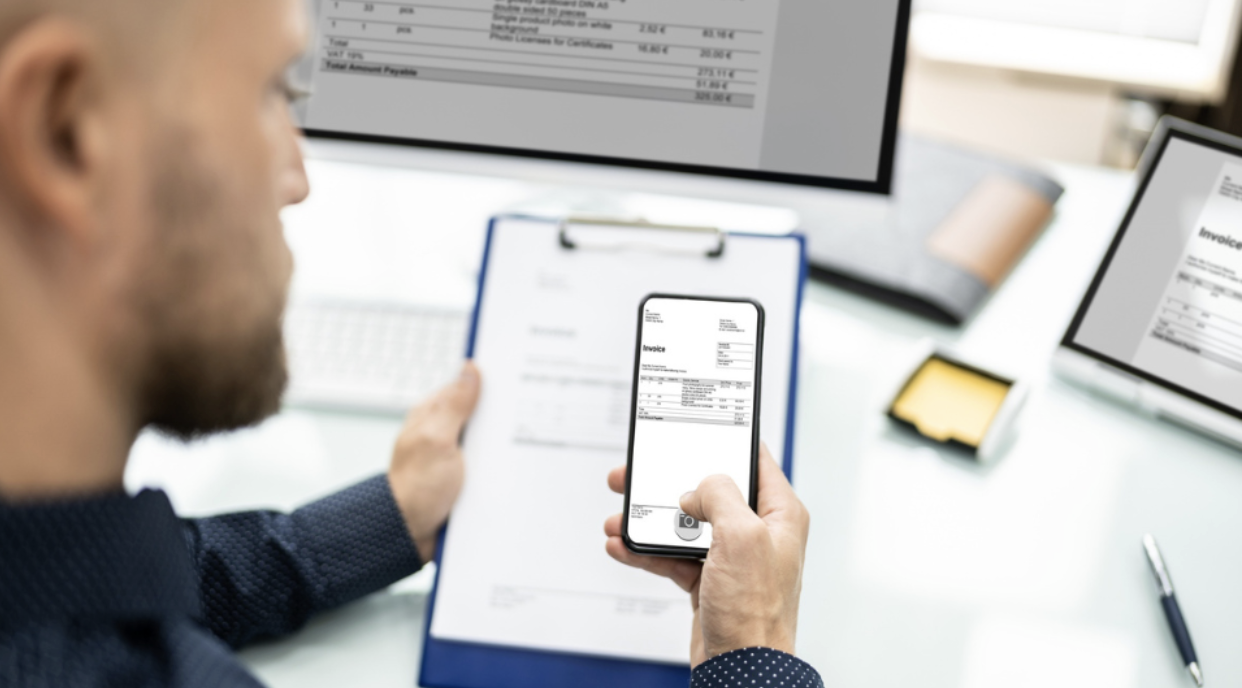
Learning how to scan receipts can save you time, help you track your spending, and make returns or tax season a breeze. The process creates searchable records that won't fade, tear, or get lost between couch cushions.
With a few simple methods and the right tools, you can turn piles of paper into organized digital records in minutes, accessible from anywhere, shareable with accountants, and protected from coffee spills and accidental disposal.
Main Takeaways:
- Scanning receipts turns paper clutter into organized, searchable digital records that are easy to access for taxes, returns, and expense tracking
- You can scan receipts using dedicated platforms, generic scanning apps, your phone camera, or hardware like document and flatbed scanners
- Prompt scanning, good lighting, and consistent naming or automated categorization ensure your digital receipts are clear, reliable, and easy to find
- Digital receipts are accepted by the IRS and can be safely stored in the cloud for as long as needed, making record retention simple and secure
- Using a specialized tool like Receipt Vault automates the entire process, saving you time and eliminating the hassle of manual sorting and filing
Why Does Digitizing Your Receipts Matter?

Receipt scanning is the process of converting paper receipts into digital files using your phone or a dedicated scanner. This simple practice helps eliminate paper clutter while making your financial records searchable, organized, and secure. The digitization process captures all essential information, including vendor names, purchase dates, item descriptions, and totals, while requiring minimal storage space.
When you scan receipts, you create a backup that won't fade or get lost like those pesky paper versions. Digital copies are easily accessible when you need them for returns, warranty claims, or tax preparation. Unlike thermal paper receipts that deteriorate over time, digital versions maintain their clarity indefinitely and can be retrieved instantly from any device with internet access.
Keeping digital records Keeping digital records makes tracking expenses effortless and helps you stay organized year-round. You can quickly categorize purchases, monitor spending patterns, and generate expense reports without manual data entry.
This is especially valuable during tax season or when you need to find a specific purchase quickly; simply search by date, vendor, or amount rather than digging through physical files or shoeboxes of receipts. With digital receipt tracking apps, you can also store up to 10 years of data, ensuring your records never get lost or fade over time.
Quick Tip: The best time to scan your receipts is immediately after purchase, before they get crumpled in pockets or bags.
How Does Scanning Receipts Benefit Different Types of Users?

If you’ve ever scrambled to find a receipt right before a return deadline or wasted hours sorting through crumpled paper at tax time, you know how stressful disorganization can be. Scanning and organizing your receipts solves those headaches by making every purchase easy to find when it matters most.
- Freelancers: Stop digging through piles of paper to separate business from personal purchases. Digital receipts make it easy to track expenses by client or project, so you’re ready for tax deductions and reimbursements.
- Homeowners: Keep every home improvement and repair receipt safe for warranty claims, insurance documentation, or increasing your cost basis when you sell.
- Shoppers: Avoid the frustration of missed return windows and lost proof of purchase—everything is saved, searchable, and ready to show.
- Small businesses: Simplify expense reporting and reimbursements by keeping every transaction organized and accessible to your team or accountant.
- Environmentalists: Go paperless without giving up organization, reducing both waste and exposure to harmful chemicals in thermal paper.
When your receipts are digitized and searchable, you save time, reduce stress, and have confidence that you can access proof of purchase, tax records, or warranty details in seconds, not hours.
7 Best Methods to Scan Receipts

There are several effective ways to scan your receipts, ranging from simple smartphone photos to dedicated scanning equipment. Your ideal method depends on your volume needs and organizational goals.
Why So Many People Choose Receipt Vault
Receipt Vault combines the simplicity of mobile scanning with powerful digital organization features that eliminate manual sorting and filing.
Method 1: Mobile Phone Scanning Apps
Generic document scanning apps provide a basic way to scan receipts using a smartphone. These apps typically offer:
- Auto-cropping and perspective correction for cleaner images
- PDF conversion for easy sharing and storage
- Batch scanning to process multiple receipts at once
Basic text recognition (OCR) to extract dates and totals
How to scan a receipt with these apps:
- Open the app
- Position your camera over the receipt
- Capture the image while the app detects edges and optimizes the scan for readability
- Adjust brightness and contrast if needed, especially for faded thermal receipts
Popular options: Adobe Scan, Microsoft Office Lens, and CamScanner, all of which offer free versions with cloud storage integration.
Limitations:
- No receipt-specific features like automatic categorization or return tracking
- Manual organization into folders or tags is required
- OCR may miss important details like itemized purchases or store names
Method 2: Smartphone Camera
The simplest method to digitize receipts is to use your phone's built-in camera. This approach:
- Requires no additional apps or equipment
- Works with modern high-resolution cameras for clear images
- Can capture receipts even in challenging lighting conditions
How to scan a receipt with your camera:
- Open your camera app
- Hold your phone steady above the receipt in good lighting
- Place the receipt on a contrasting background
Ensure all text is visible - Use built-in document detection if available
- Crop and enhance the image after capture if needed
Drawbacks:
- Lacks the enhancement and organization tools of dedicated apps
- Manual cropping and sorting into albums or cloud folders required
- Best suited for quick, on-the-go captures
- Clutters the camera roll and uses storage space
Tip for long-term storage: Transfer these photos into an organized system or back them up to avoid accidental deletion when clearing phone storage.
Method 3: Dedicated Document Scanners
For high-volume receipt scanning, dedicated document scanners offer:
- Speed and efficiency, processing multiple receipts in seconds
- Automatic document feeders for batch scanning
- Direct connection to a computer with save-to hard drive or cloud storage options
Built-in OCR (Optical Character Recognition) to convert printed text into searchable data
Best for:
- Businesses or individuals with large backlogs of receipts
- Those needing superior image quality and processing speed
- Users willing to invest more than mobile options for efficiency
Method 4: Flatbed Scanners
Flatbed scanners provide:
- Precise control for scanning damaged, wrinkled, or oddly sized receipts
- High-resolution images that are ideal for preserving important details
How to scan with a flatbed scanner:
- Place the receipt face down on the glass surface
- Close the lid
- Initiate the scan from your computer
- Adjust resolution and file format settings before saving
Best for:
- Receipts where clarity is critical (major purchases, legal documents)
- Users who prioritize image quality over speed
Method 5: Printer Scanner Combinations
Many homes and offices already have multifunction printers with scanning capabilities, which offer:
- Convenient receipt scanning without additional equipment
- Ability to scan directly to a computer or email
- Smartphone apps on newer models for remote scan initiation and retrieval
Best for:
- Occasional scanning needs
- Users who value convenience and already own a multifunction printer
- Those who don’t require specialized receipt-scanning features
Method 6: Professional Scanning Services
For large backlogs or ongoing high volumes, professional scanning services can handle the entire digitization process. These services accept boxes of paper receipts and convert them to organized digital files.
This hands-off approach saves time but costs more than self-scanning methods. It's particularly useful for businesses transitioning to digital record-keeping or individuals with years of accumulated receipts.
After processing, you'll receive digital files that you can import into your preferred organization system or receipt management platform.
Method 7: Receipt Vault, the Best All-In-One Solution
Receipt Vault is a specialized cloud platform designed specifically for receipt scanning and organization. It combines mobile capture receipts functionality with intelligent sorting and secure storage, eliminating the need to juggle multiple apps or systems.
The app uses your phone's camera to quickly digitize paper receipts in seconds and can also import email receipts automatically from your inbox. Its advanced AI technology recognizes vendor names, purchase dates, amounts, and return deadlines without manual entry, saving you time and reducing errors. Even faded or crumpled receipts are enhanced for clarity and readability.
What sets Receipt Vault apart is its ability to automatically categorize receipts by expense type, track return windows with timely reminders, and make everything instantly searchable by keyword, date, or amount. The platform's intuitive dashboard provides spending insights and tax-ready reports.
You can access your receipts from any device: smartphone, tablet, or computer, and easily share them with family members or your accountant with just a few taps. All data is encrypted and backed up continuously for complete security and peace of mind.
What Are the Best Practices for Scanning Receipts?

Follow these guidelines to ensure your receipt scanning process is efficient and your digital records are useful:
- Use good lighting: Natural daylight or bright, evenly diffused artificial light prevents shadows and glare that can make text unreadable. Avoid direct sunlight, which causes harsh reflections on glossy receipt paper.
- Capture the entire receipt: Position your device to include all edges, dates, totals, store information, and itemized purchases. Even small details like return policies at the bottom can be crucial later.
- Keep a consistent naming system: If not using automated software, create filenames with date (YYYY-MM-DD format), vendor name, and purchase amount (e.g., "2023-04-15_HomeDepot_127.99"). This makes manual searching much faster.
- Back up your files: Store digital receipts in at least two locations—a primary cloud service and either a secondary cloud provider or an external drive. Enable automatic syncing to prevent accidental deletions or data corruption.
- Scan promptly and check quality: Process receipts within 24 hours of purchase to prevent fading or damage to the thermal paper. Before discarding the original, confirm that all text is readable by zooming in to check key details like purchase dates, item descriptions, and transaction numbers.
- Organize with categories and tags: Group receipts by purpose or by tax deduction category to simplify year-end financial tasks. Add relevant tags or keywords for major purchases and warranty items so you can quickly locate specific receipts when needed.
These simple habits ensure your digital receipts remain valuable for returns, taxes, and expense tracking while saving you time and frustration when you need to find specific purchase information.
See What’s Inside Receipt Vault
Discover how automatic scanning, email imports, and smart search make receipt management effortless.
How Long Should I Keep Digital Receipts?
Knowing how long to keep your digital receipts ensures you stay compliant with tax rules, maintain warranty protection, and have proof of purchase when you need it most.
Receipt Type & How Long You Should Keep It
Receipt Type: Tax-related expenses
Keep For: 7 years
Purpose: IRS audit window
Receipt Type: Major purchases
Keep For: Lifetime of the item
Purpose: Warranty/insurance claims
Receipt Type: Home Improvement Expenses
Keep For: Lifetime of the item
Purpose: Cost basis documentation
Receipt Type: Regular shopping
Keep For: 1-3 years
Purpose: Returns/disputes
The IRS accepts digital receipts as valid documentation as long as they're legible and contain all relevant information, and recommends keeping them for at least three years (Source: IRS).
Digital storage makes it practical to keep records longer without creating physical clutter, with some experts suggesting retaining them for seven years if you filed incorrectly or claimed a loss. Since 1997, the IRS has accepted scanned copies of receipts and invoices, solidifying digital storage as the future of tax prep.
With cloud-based solutions like Receipt Vault, storage limits aren't a concern, so you can safely retain important financial records for as long as needed.
Start Organizing Today
Join thousands of users who trust Receipt Vault to keep their receipts secure, searchable, and ready for tax time.
Ditch the Paper. Scan Smarter With Receipt Vault
The best way to scan receipts is with a system that handles the entire process from capture to organization. While any scanning method creates digital copies, only specialized tools like Receipt Vault transform those images into truly useful financial records.
Receipt Vault simplifies receipt management by combining easy mobile scanning with intelligent organization features. You can quickly capture receipts, automatically categorize them, track return deadlines, and find any purchase with a simple search.
Ready to simplify your financial life and never lose another important receipt? Start a Free Trial today and experience truly effortless receipt management.
FAQs About Scanning Receipts
What is the easiest way to scan receipts?
The easiest method is using a dedicated receipt scanning app like Receipt Vault, which lets you capture receipts from your phone’s camera, import email receipts automatically, and enhance images for clarity. It then organizes everything by category, date, or vendor, making your records instantly searchable and tax-ready.
Can I scan receipts on my phone?
Yes. With Receipt Vault’s mobile scanning feature, you can use your phone’s camera to quickly digitize paper receipts anywhere. The app automatically crops and enhances the image, applies smart categorization, and stores it securely in the cloud for access on any device.
How do I scan receipts to a PDF?
Use a scanning app that offers PDF output, position your receipt in the camera frame, capture the image, and select PDF as the save format before storing or sharing the file. With Receipt Vault, every scanned or imported receipt can be saved as a PDF. Simply capture the receipt in the app or upload a digital copy, and Receipt Vault automatically converts it to a PDF format you can download, share, or attach to expense reports.
Related Articles
Start Now – It's Free
Join thousands of users who’ve eliminated receipt clutter and gained complete control over their spending.
Sign up in less than 60 seconds.