
How to Organize Receipts for Taxes: Best Practices & Methods
Crumpled receipts in glove boxes, faded slips in drawers, and missing documents can make tax season a nightmare. But what if learning how to organize receipts for taxes could save you hours of frantic searching, reduce your stress levels, and help you claim every legitimate deduction you deserve?

When you set up an easy system that works with your lifestyle, whether digital, physical, or hybrid, organizing receipts for taxes becomes a simple habit rather than an overwhelming headache.
With just minutes of maintenance each week, you'll create a streamlined process that pays dividends come tax time.
In this article, you’ll find the essential best practices and storage methods that make tax preparation faster and more accurate.
Main Takeaways:
- Organizing receipts for taxes helps maximize deductions, provides audit protection, and reduces tax season stress by keeping your records clear and accessible
- Keep receipts for all deductible expenses, including business, home, medical, and education costs, and remember that digital copies are accepted by the IRS
- Sort receipts by category, time period, purpose, or tax year, and maintain separation between business and personal expenses for easier tax preparation
- Use digital tools or cloud storage for fast searching, automatic backups, and secure access to your receipts from anywhere
- Consistent organization, regular review, and integration with accounting software make tax prep faster and ensure you never miss a deduction
Why Is Organizing Receipts for Taxes Important?

Organizing receipts for taxes means creating a system to collect, sort, and store all expense records so you can easily access them when preparing your tax return. A good organization system helps you maximize deductions, provides audit protection, and reduces stress during tax season.
The average American spends about 13 hours (Nasdaq, 2024) preparing their tax return, including time spent on record-keeping, planning, and filing. For those with business income, that time can be significantly reduced with a streamlined, year-round organization process.
According to the IRS, proper record-keeping is essential for both individuals and businesses to accurately report income and expenses. Without organized receipts, you risk missing valuable deductions or facing penalties if audited.
Financial Clarity for Personal and Business Use
Keeping receipts organized improves visibility into spending patterns, helping you separate business from personal expenses and prevent audit red flags.
- Tax deduction accuracy: Properly categorized receipts ensure you claim all eligible deductions.
- Budget awareness: Clear expense records reveal patterns and cost-saving opportunities.
- Business performance: Connect income to expenses to identify the most profitable projects or clients.
Avoiding Last-Minute Tax Stress
Maintaining organized receipts throughout the year eliminates the last-minute scramble that leads to errors and missed deductions. On average, people spend about one year (roughly 8,700 hours) over their lifetimes searching for lost items, including critical tax documents.
With a consistent system, you can verify expenses, identify deductions, and provide complete documentation to your tax preparer quickly, turning tax preparation from a dreaded marathon into a straightforward process.
Quick Tip for Keeping Receipts: Create a simple physical or digital folder for each tax year and add receipts as you receive them, rather than collecting them all at once in April.
What Receipts Should You Keep For Taxes?

Understanding what receipts to keep for taxes is crucial for maximizing deductions while minimizing paperwork. Ideally, you should keep all receipts using a digital receipt tracking app. Storing them securely in the cloud ensures you have access to any record you need, whether for taxes, audits, returns, or expense reports, without clutter or lost paperwork.
Self-Employed/Freelancers
Self-employed individuals should keep all receipts related to their business operations. This includes:
- Office supplies and equipment (computers, printers, furniture, stationery, ink cartridges)
- Software subscriptions and digital tools (accounting software, design programs, productivity apps, cloud storage)
- Business travel, meals, and entertainment (airfare, hotel, rideshares, client dinners, conference fees)
- Professional services and contractor payments (legal fees, consulting services, freelance help, bookkeeping)
- Vehicle expenses (mileage logs, gas, maintenance, insurance for business use)
- Marketing and advertising costs (website hosting, business cards, online ads, promotional materials)
Freelancers should organize receipts by client or project to easily track job-specific expenses and accurately bill for reimbursables when applicable.
Homeowners
If you own a home, certain expenses may affect your taxes:
- Home improvement receipts (which adjust your cost basis when selling) – keep detailed records for kitchen remodels, bathroom renovations, room additions, and structural improvements
- Mortgage interest statements (Form 1098 from your lender showing interest paid during the tax year)
- Property tax payments (annual tax bills and payment confirmations)
- Home office expenses (if you qualify) – internet, utilities percentage, dedicated office furniture, repairs to office space
- Energy-efficient improvement receipts that may qualify for tax credits (solar panels, insulation, energy-efficient windows, or appliances)
It’s critical to keep receipts related to home-related projects, especially for major renovations that add value to your property and could reduce capital gains taxes when you sell.
📂 Keep Every Tax Receipt in One Place
Receipt Vault captures paper and digital receipts, organizes them by category, and makes them instantly searchable. With built-in search, deadline tracking, and one-click exports, tax time is faster and stress-free.
Medical
Medical expenses may be deductible if they exceed 7.5% of your adjusted gross income (Source: IRS). These include:
- Prescriptions and medical supplies (medications, testing supplies, mobility aids, eyeglasses, hearing aids)
- Doctor, dentist, and specialist visits (consultation fees, copays, treatment costs not covered by insurance)
- Health insurance premiums paid out-of-pocket (monthly premiums for plans not provided by employers)
- Travel to medical appointments (mileage logs, parking fees, tolls, public transportation costs)
- Hospital stays and emergency services (inpatient care, emergency room visits, ambulance services)
- Long-term care premiums and costs (nursing home fees, in-home medical care)
Education & Childcare
Parents and students should keep receipts for:
- Tuition and fees (payments to educational institutions, Form 1098-T)
- Textbooks and required course materials (books, lab supplies, mandatory equipment for courses)
- Student loan interest payments (Form 1098-E showing interest paid during the tax year)
- Childcare expenses (daycare, after-school programs, summer camps, nanny services with provider's tax ID)
- Education tax credits documentation (American Opportunity Credit or Lifetime Learning Credit qualifying expenses)
- 529 plan contributions and distributions (statements showing qualified education expenses paid from these accounts)
The IRS accepts digital copies of receipts as long as they contain all required information (date, vendor, amount, description) and are legible. Store these securely with backup copies to ensure they remain accessible throughout the required retention period.
How to Sort Receipts for Tax Preparation

The best way to organize receipts for taxes involves sorting them into logical categories. This makes finding specific receipts easier and helps identify potential deductions.
You can sort receipts in several ways:
- By category: Group similar expenses together (travel, meals, supplies)
- By time period: Organize by month or quarter for easier budget tracking
- By purpose: Separate business, personal, and mixed-use expenses
- By tax year: Keep each year's documentation separate
- By project or significant life event: Track spending tied to a renovation, wedding, or other major milestone
For small business owners, organizing receipts for business purposes by both category and client/project often works best.
Make Tax Time Effortless
Receipt Vault automatically categorizes your receipts as you upload them, eliminating manual sorting.
Best Practices for Staying Organized for Tax Season
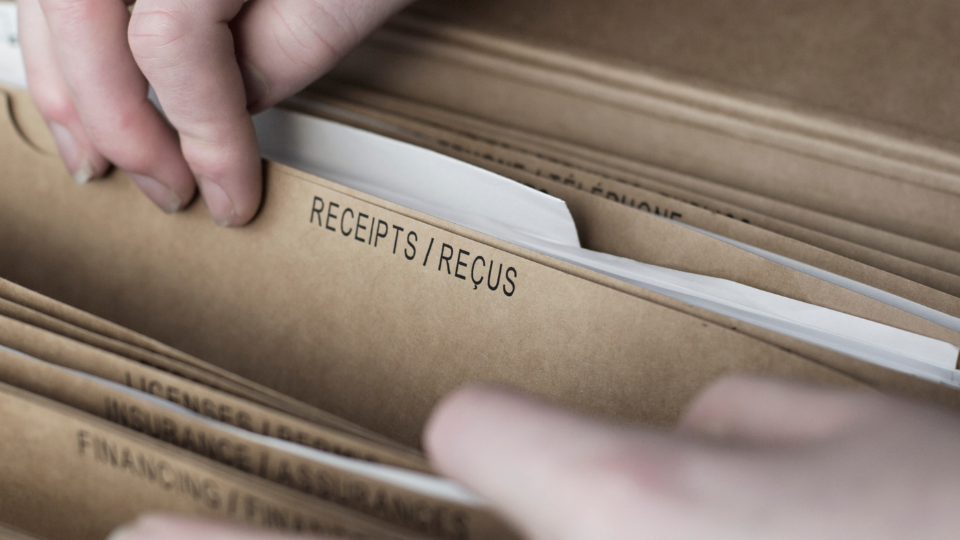
Tax season is far less stressful when your receipts and records are already in order. By adopting a few smart organizational habits throughout the year, you can save time, avoid last-minute scrambling, and make sure you never miss a deduction.
Follow the IRS Guidelines and Receipt Requirements
The IRS has specific requirements for what constitutes a valid receipt. Each receipt should clearly show:
- Date of purchase
- Vendor name and information
- Description of items purchased
- Amount paid
- Payment method
The "$75 rule" means you don't need receipts for most business expenses under $75, but you should still record these transactions in your records (Source: IRS).
Why it matters: Meeting IRS documentation standards ensures your receipts hold up in an audit and protects your deductions.
Know the Required Documentation Standards
Different types of expenses may require additional documentation. For business meals, note who attended and the business purpose. For vehicle expenses, keep a mileage log.
Why it matters: Complete records help you prove the business purpose of expenses and avoid disputes during audits.
Keep for Retention Periods and Timeframes
Different documents have different recommended retention periods. These include:
Document Types & Their Retention Periods
Document Type: Tax Returns
Retention Period: 7 years
Document Type: Business Receipts
Retention Period: 3 years
Document Type: Home Improvement
Retention Period: Until home sale + 3 years
Document Type: Major Purchases
Retention Period: Duration of ownership + 3 years
Why it matters: Following retention timelines ensures you have proof when needed for audits, capital gains calculations, or warranty claims.
Maintain Your System
Consistency is key to successful receipt organization. Set aside time weekly or monthly to process new receipts rather than letting them accumulate.
For freelancers and small businesses, monthly maintenance works well. Homeowners might review quarterly, focusing on major purchases.
Why it matters: Regular upkeep prevents overwhelm and reduces the chance of missing receipts at tax time
Have a Regular Review Schedule
Create a simple monthly checklist:
- Process new receipts within 48 hours
- Verify all receipts are properly categorized
- Back up digital files
Quarterly, review your categories and check for any missing documentation before it becomes difficult to obtain.
Why it matters: Consistent reviews keep your records current and accurate, making tax prep faster and less stressful.
Handle Missing or Damaged Receipts
If you lose a receipt, alternative documentation may be acceptable:
- Bank or credit card statements
- Canceled checks
- Email confirmations
- Vendor account histories
Create a note documenting what was purchased, when, and why the original receipt is unavailable.
Why it matters: Alternative documentation can still protect deductions and satisfy IRS requirements in case of an audit.
Separate Business and Personal Expenses
In order to categorize receipts for taxes, small business owners need to start with a strict separation of business and personal expenses.
- Use separate credit cards for business purchases
- Label receipts immediately as business or personal
- Create different storage locations for each type
Why it matters: Clear separation simplifies tax prep, improves accuracy, and reduces the risk of an IRS challenge over mixed expenses.
Top Methods for Receipt Management and Tax Organization
Keeping receipts and tax documents organized is the key to stress-free filing and accurate record-keeping. By using proven methods to capture, store, and categorize your receipts, you can simplify tax preparation and ensure every deduction is backed by solid documentation.
Traditional Paper Filing Systems
Some people prefer physical organization systems:
- File folders organized by month or category
- Accordion files with labeled sections
- Binders with plastic sleeves for receipt protection
When using paper systems, store receipts in a cool, dry place to prevent fading. Consider making backup copies of important receipts.
Best for: Individuals who prefer physical records, have low to moderate receipt volume, and are comfortable with manual filing.
Digital Receipt Solutions
Digital systems offer significant advantages for how to store receipts:
- Easy searching by keyword, date, or amount
- Automatic backups to prevent loss
- Space savings compared to paper storage
Use a scanner or smartphone app to capture receipt images. Name files consistently with date, vendor, and amount for easy searching.
Best for: Users ready to go paperless who want quick searchability, reduced physical clutter, and better backup options.
Cloud-Based Storage Benefits
Cloud storage provides additional benefits:
- Access from any device, anywhere
- Automatic syncing of new receipts
- Protection from physical damage or loss
Best for: People who need secure, on-the-go access to receipts across devices and want automated backup without maintaining physical files.
Storage Methods and Their Pros & Cons
Storage Method: Paper Filing
Pros: No technology needed, Original copies preserved
Cons: Space requirements, Risk of loss/damage, Difficult to search
Storage Method: Computer Storage
Pros: Searchable,Space-efficient
Cons: Risk of computer failure, Limited access
Storage Method: Cloud Storage
Pros: Access anywhere, Automatic backup, Easy sharing
Cons: Requires internet, Potential subscription cost
Hybrid Receipt Management Workflows
Many people use a combination of paper and digital methods:
- Collect physical receipts in a designated container
- Scan or photograph receipts weekly
- File digital copies by category and date
- Shred or store physical originals based on importance
Best for: Users transitioning from paper to digital or those who want the security of both physical and digital backups.
Receipt Integration with Accounting or Tax Software
For small businesses, filing receipts often involves an integration with accounting software. This may include:
- Attaching receipt images directly to transactions
- Creating expense reports with supporting documentation
- Generating tax-ready reports with linked receipts
Best for: Small businesses, freelancers, and accountants who want receipts directly tied to financial records for faster tax prep and streamlined reporting.
Receipt Vault offers seamless export options that work with popular accounting and tax preparation software.
Stop Struggling with Paper Clutter and Missing Deductions
Receipt Vault makes organizing receipts for taxes simple and secure. Keep business, personal, and deductible expenses organized year-round.
Transform Your Tax Preparation With Receipt Vault
The best way to organize receipts for taxes is one that fits your lifestyle and consistently keeps your documents accessible and organized. Receipt Vault offers a complete solution that handles everything from capture to categorization to tax-time exports.
With Receipt Vault, you can:
- Automatically pull receipts from your email
- Scan paper receipts with your phone
- Organize by category, project, or tax year
- Search by keyword, vendor, or amount
- Export organized records for tax filing
Filing taxes becomes simple when everything is already organized and accessible. Start your free trial with Receipt Vault today and experience stress-free tax preparation.
FAQs About Organizing Receipts for Taxes
What is the $75 receipt rule for tax deductions?
The $75 receipt rule means the IRS doesn't require receipts for most business expenses under $75, but you should still record these transactions in your records and keep receipts when possible.
How should I divide receipts for tax preparation?
Divide receipts by tax category (business, medical, education, etc.), then further sort by date or subcategory to make finding specific items easier during tax preparation. This is best done using a digital tracking app to keep expenses separate.
Are digital photos of receipts acceptable for tax purposes?
Yes, the IRS accepts clear digital photos or scans of receipts as valid documentation for tax purposes as long as they show all required information, including date, vendor, amount, and items purchased.
What is the best way to organize receipts for small businesses?
The best way to organize receipts for small businesses is to use a digital system that automatically categorizes expenses, separates business from personal, and allows for easy export during tax preparation.
Related Articles
Start Now – It's Free
Join thousands of users who’ve eliminated receipt clutter and gained complete control over their spending.
Sign up in less than 60 seconds.